

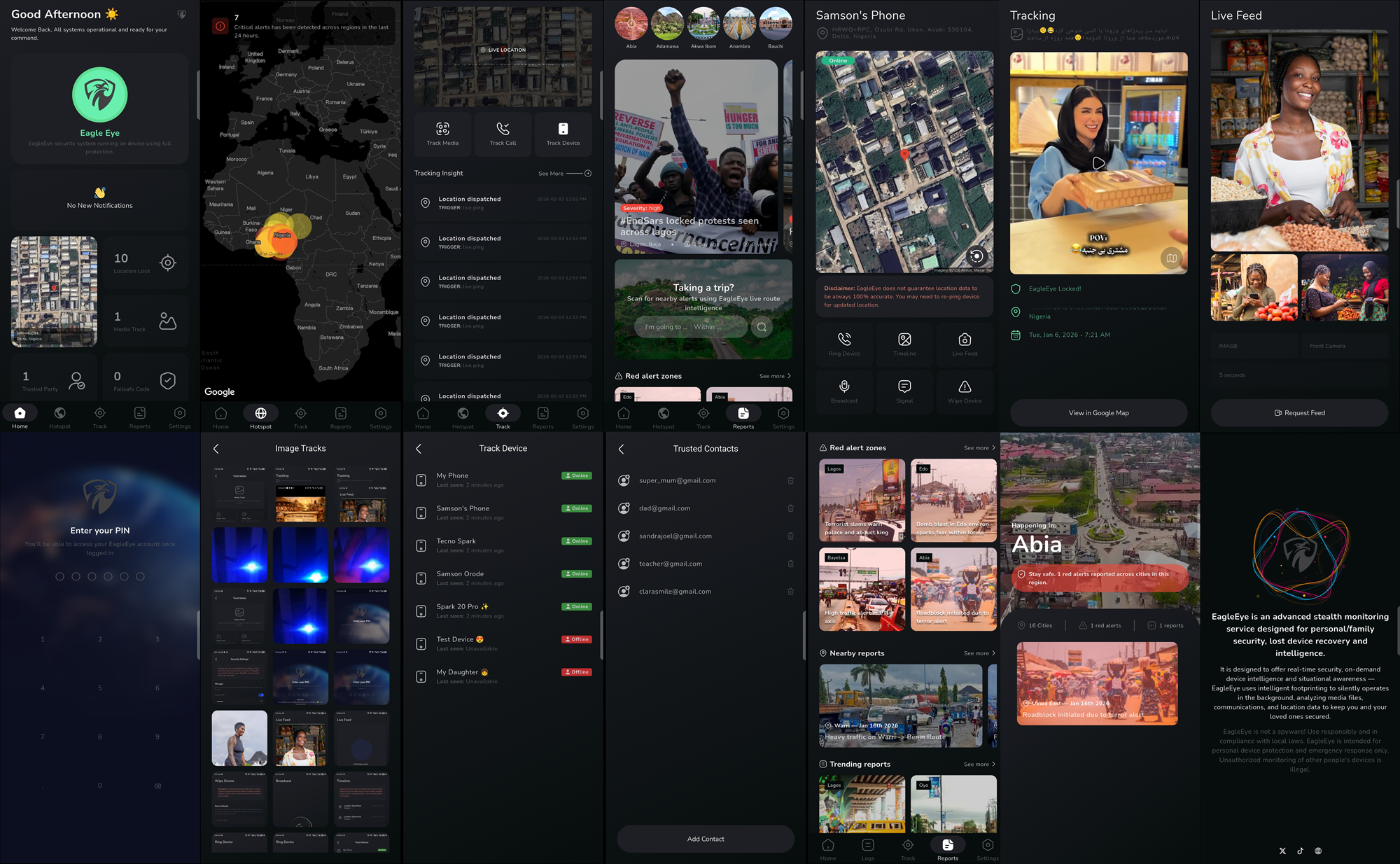
Eagle Eye is committed to user's safety and compliance with platform distribution policies. Due to Google Play’s app distribution requirements, some safety features are limited in versions of the app distributed via Google Play.
On this page, we explain the limitations of the app distributed via Google Play, who this guide is for, and how to safely access and enjoy the full range of Eagle Eye safety features — so you can stay protected with confidence.
Why install outside Google Play?
This option is not for everyone. It is for users who want access to the full range of advanced safety features as described in Section 3.
If none of those features apply to your needs, you can safely continue using the Google Play version of Eagle Eye. However, we recommend the full version if you want to experience the complete capabilities of Eagle Eye protection.
What features are limited?
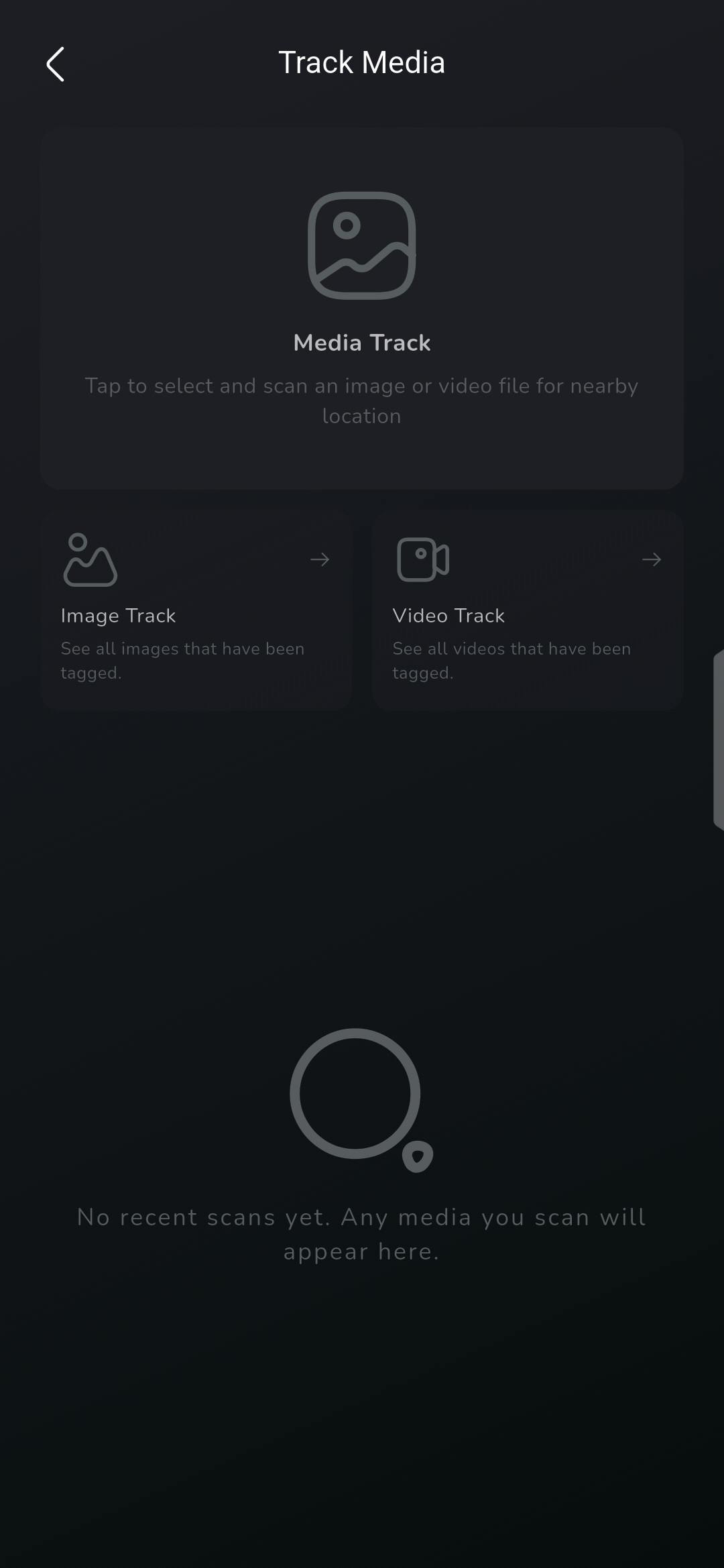
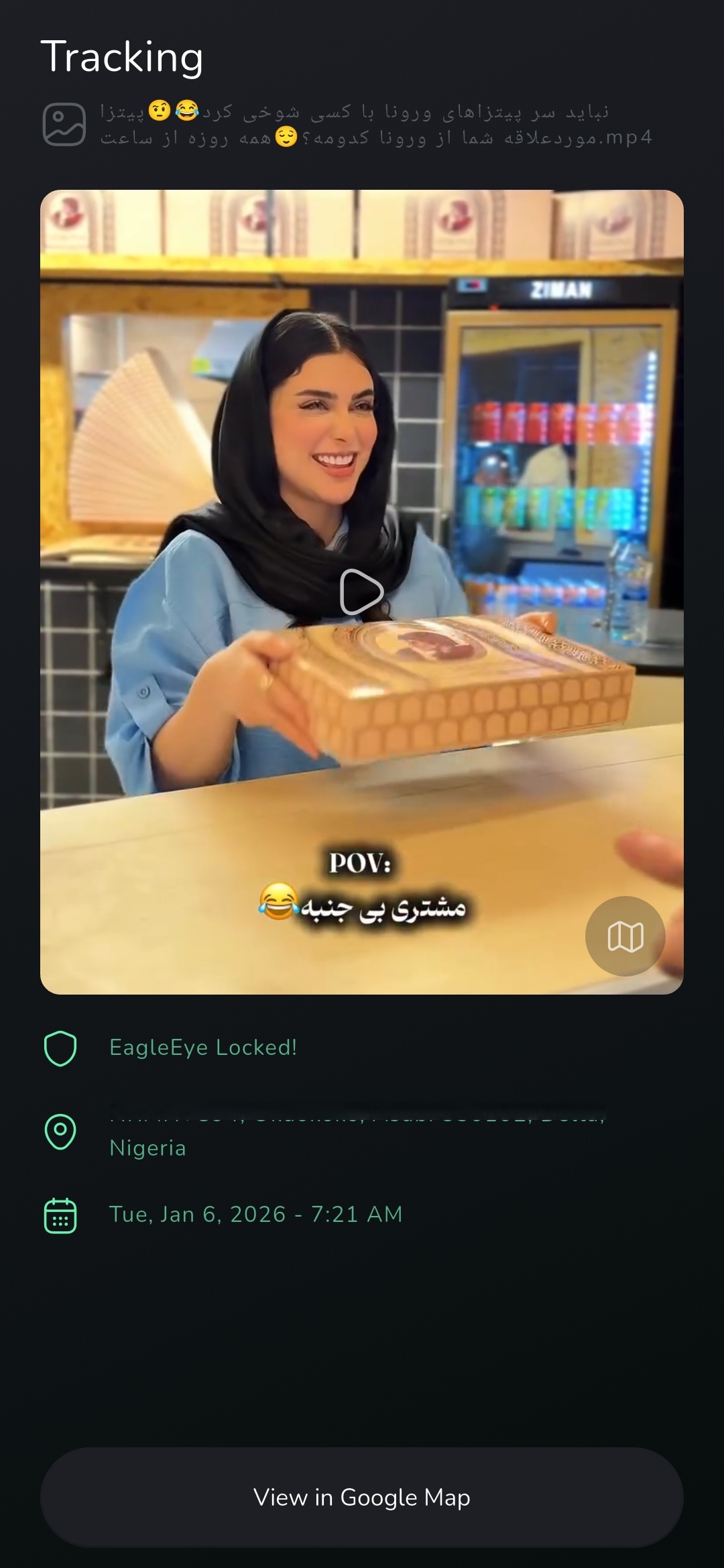
Media Tracking: Adds your location coordinates to media files, helping loved ones trace your whereabouts by scanning the media in the Eagle Eye app.
Device Wipe: Allows you to perform a full device wipe in the event of a privacy breach, theft, or harassment. The Google Play version is limited to wiping single folder.
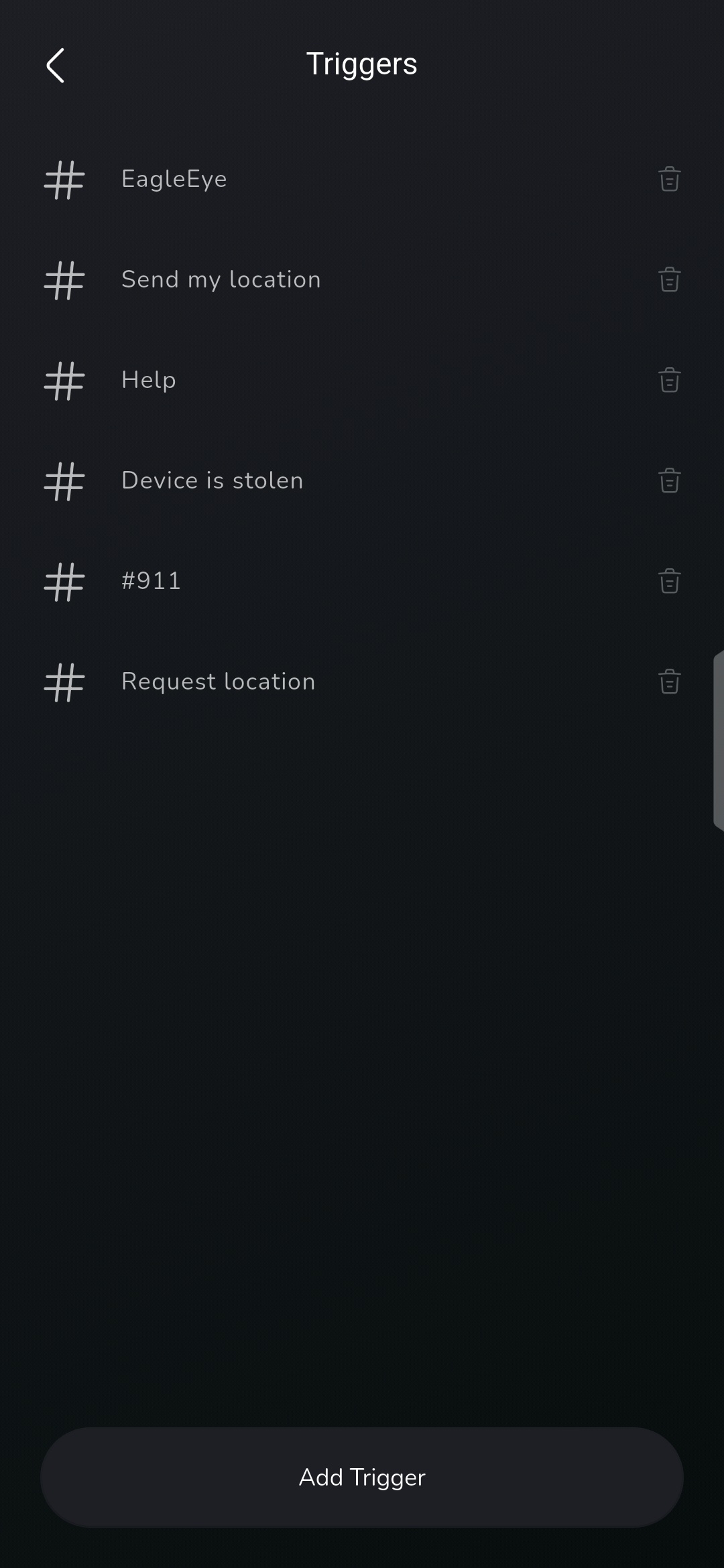
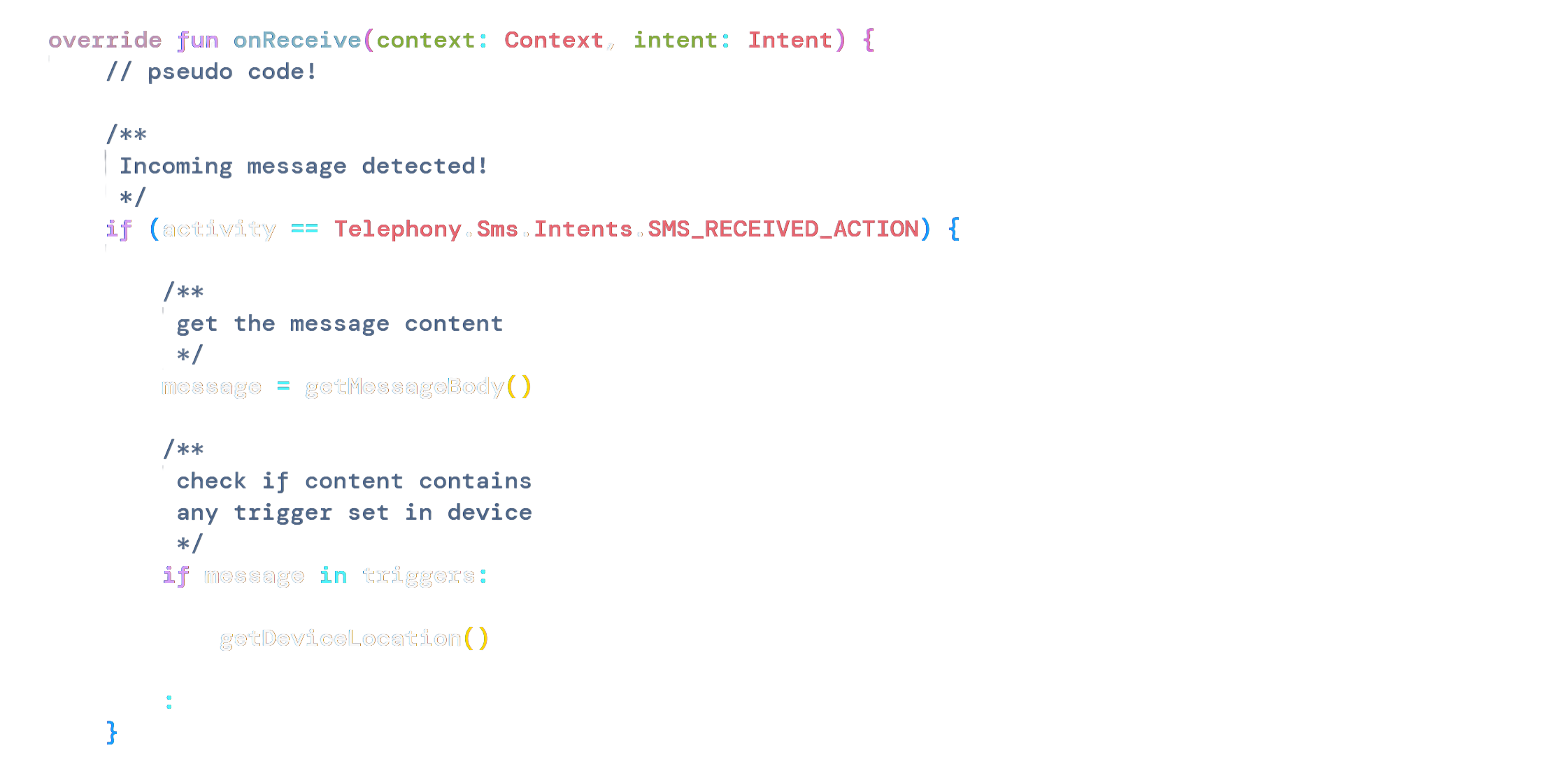
SMS/Call Trigger: Retrieve your device location or initiate a device wipe by sending a pre-registered code via SMS or calling your device from a pre-authorized number set in the app.
Live Feed: Allows you to remotely view your surroundings even when the app is closed, enabling effective monitoring and control of your device during emergencies.
Why is it limited?
Google Play enforces strict policies around sensitive permissions and device administration. While these policies protect users, they also prevent certain safety-critical features required for Eagle Eye to function properly as a safety assistant.
- Device Storage: Eagle Eye requires this permission to effectively embed your location coordinates when a new image or video file is captured on your device and to also perform a full device wipe when you request for it.
-
SMS/Call Access: Eagle Eye requires this permission to read incoming SMS content and caller phone numbers. This allows the app to activate your triggers and perform actions such as device location retrieval or a device wipe.
Eagle Eye uses this permission solely to serve you. It does not send, store, or share your messages or phone contacts in any way.
NOTE: This is not a bug or a security risk in Eagle Eye. The removal of this feature is based on policy, not technical limitations. Eagle Eye fully complies with Google Play policies, which is why these features were excluded from the Google Play version.
How do I get full access safely?
STEP 1: Download the APK
Simply Download the full version app here: Download. Uninstall any previous version you may have installed on the device.
STEP 2: Install the APK
Browse to your download folder, locate the downloaded app (EagleEye.apk) and tap on it to begin the installation.
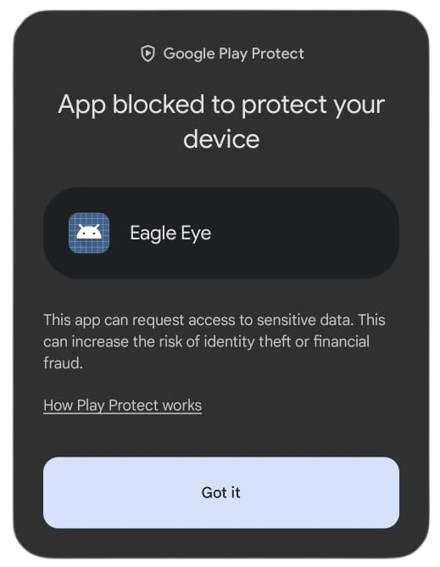
In some cases, Google may flag the app as harmful. This usually happens when an app is not installed directly from the Google Play Store. Follow the steps below to temporarily bypass this restriction. Eagle Eye is signed, verified, and safe to install.
-
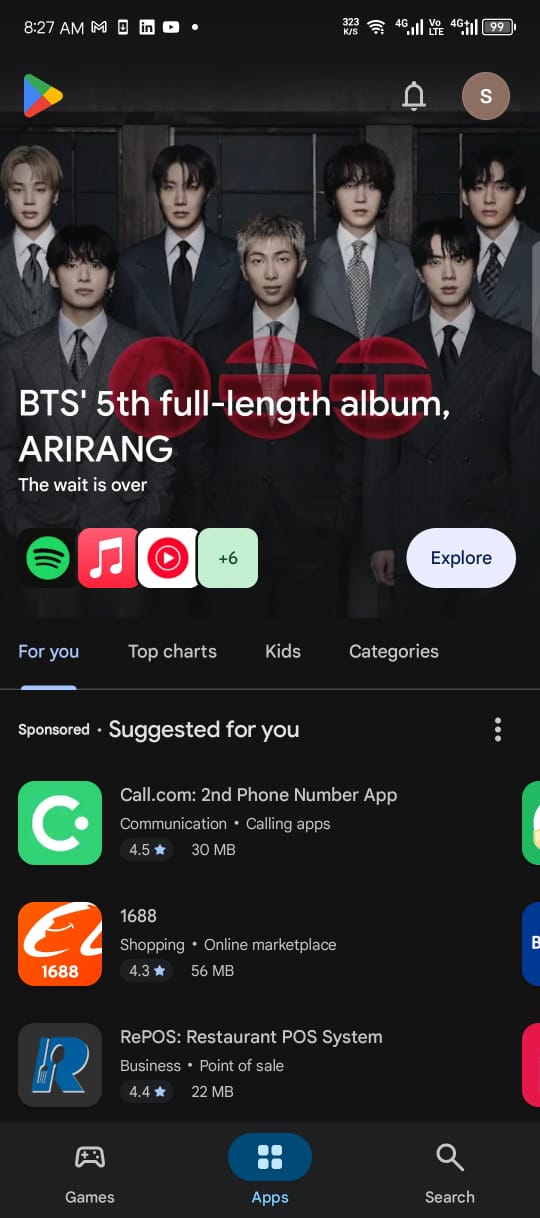
Open the Play Store app
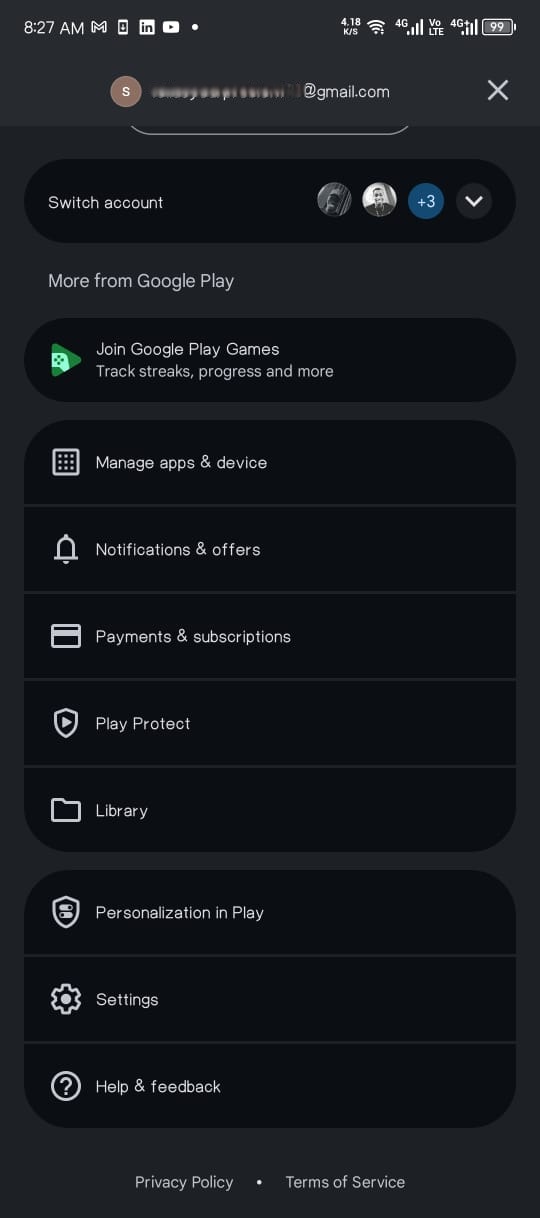
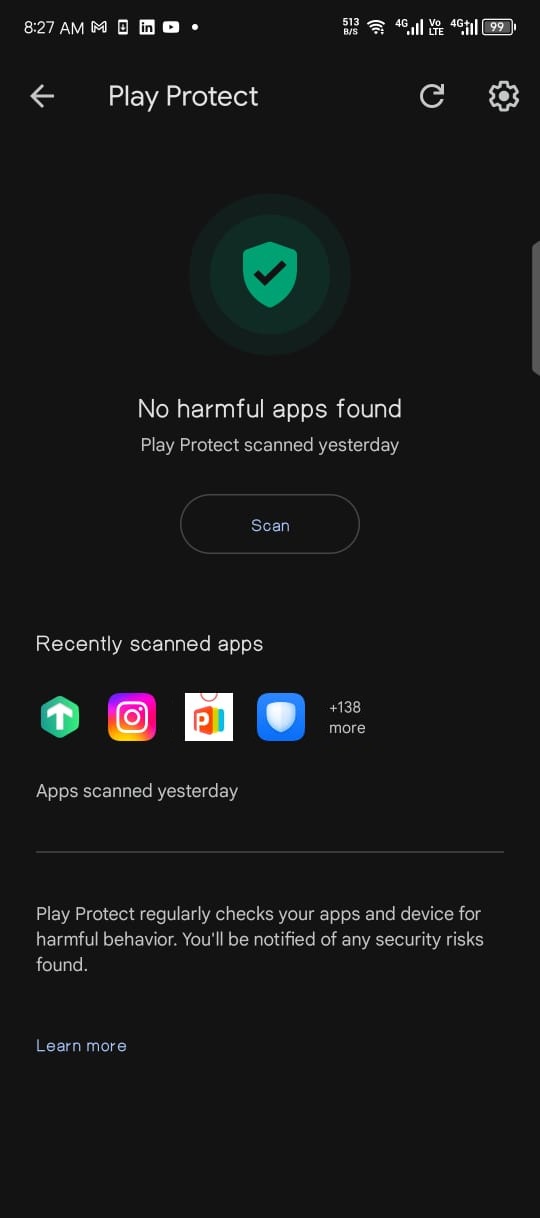
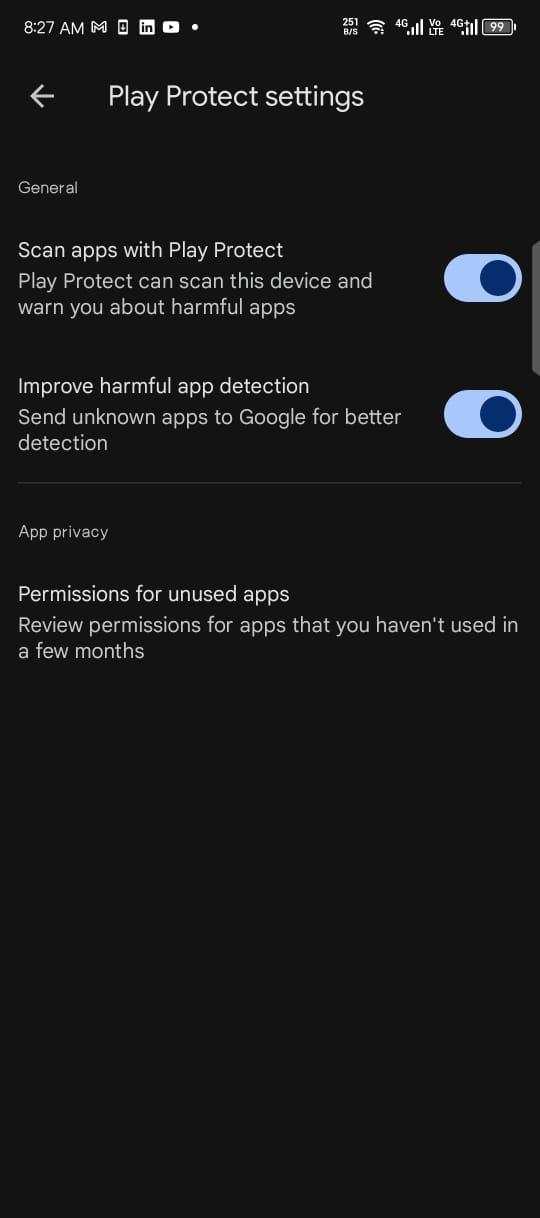
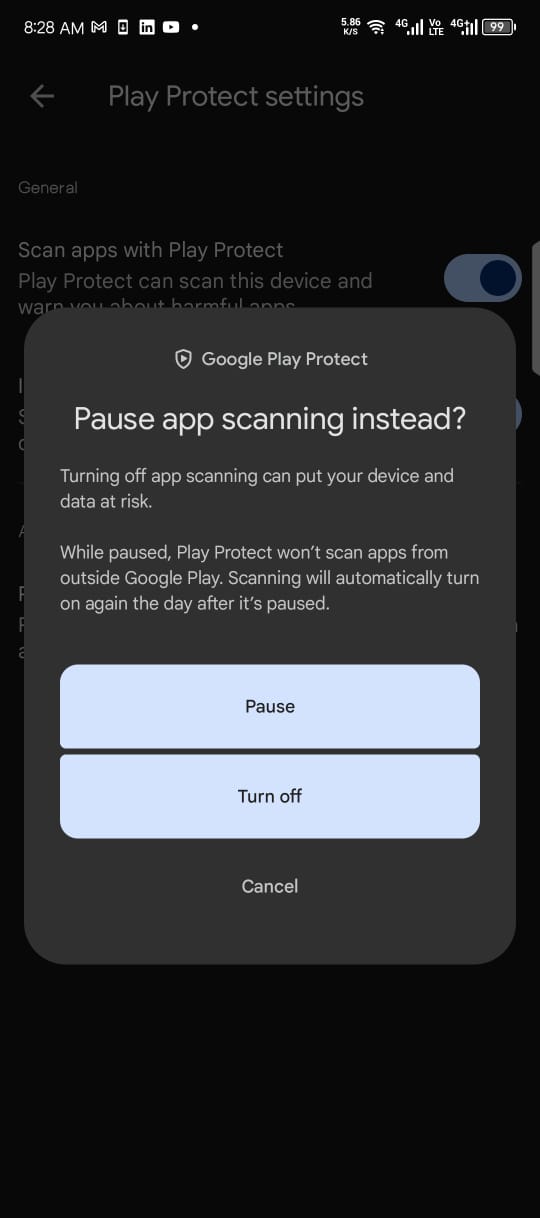
Tap your profile icon at the top right, then select Play Protect from the menu. Next, tap the Settings icon at the top right and toggle “Scan apps with Play Protect”. After that, go back and install the app, then re-enable Play Protect once the installation is complete.
STEP 3: Permission Access
You may need to grant extended access for certain sensitive permissions, such as SMS access, which is required to activate Eagle Eye trigger features as explained above.
-
How to enable SMS Access
Go to your phone settings and tap on “App Management”. Search for and select the Eagle Eye app. Then tap the three-dot menu at the top right and choose “Allow restricted settings.”
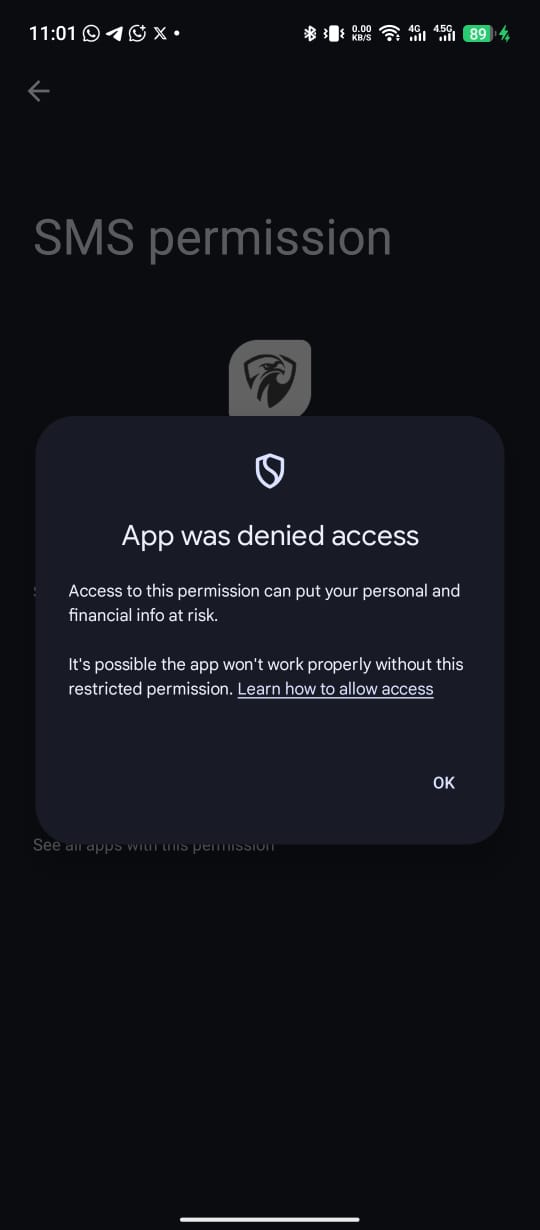
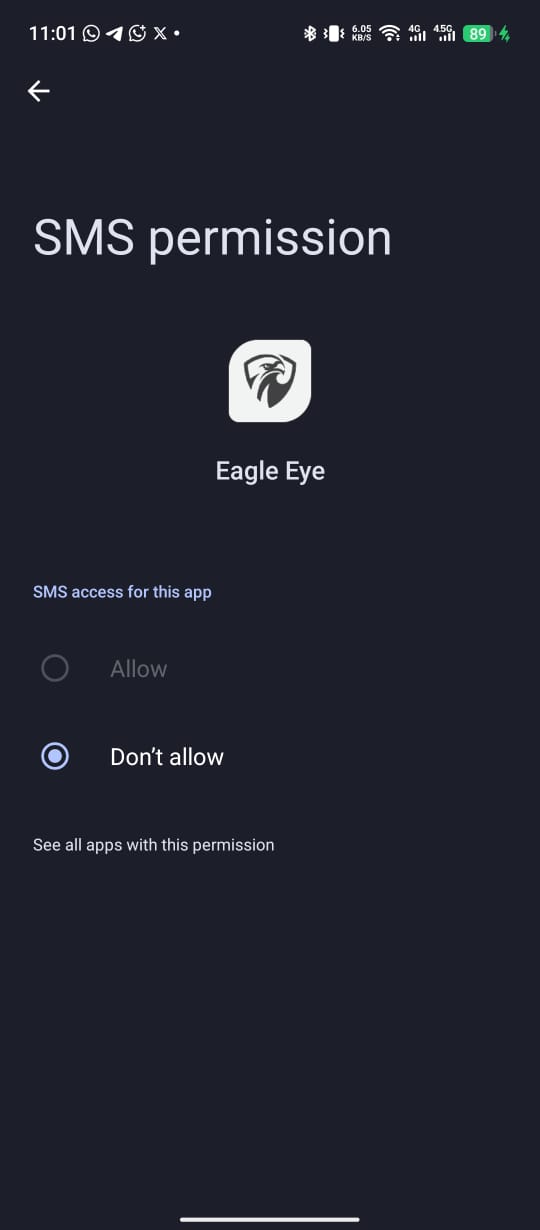
Sample guide:
DONE: You're all set to go!
Finally, access your Eagle Eye dashboard after granting all required permissions. You now have full access to Eagle Eye safety features for free, You can upgrade anytime if you enjoy Eagle Eye protection.
-
See Eagle Eye in action 🔥
Media Tracking: Capture a photo with your device camera or any social app, take a screenshot, or record a video, and the media file will instantly appear in the Track screen. You can also share it as a document on WhatsApp or other social channels - your recipient will see your location when they send the image to the Eagle Eye app or scan it.
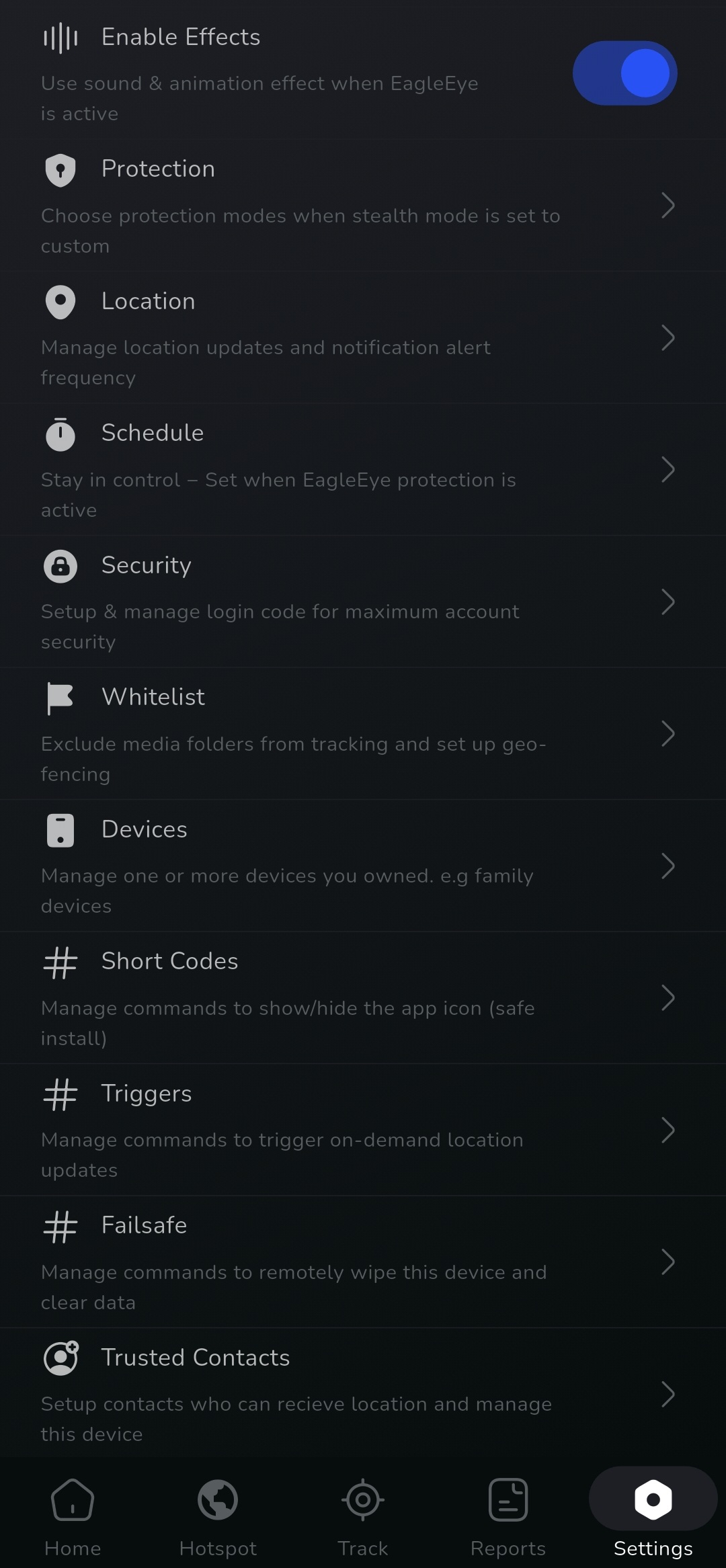
SMS/Call Trigger: Simply register your trigger words or failsafe commands (for device wipe). Then, text any of the registered codes to your device or call it from a phone number added to your triggers. Your location will automatically be shared with your trusted contacts, or the device will be erased/self-destruct (DO NOT TEST THIS!)
You can still use your triggers to locate or wipe your device even if the SIM card has been removed (in case of theft). Simply link your device on another device using its unique device ID, or use the “Track My Device” page on the web portal.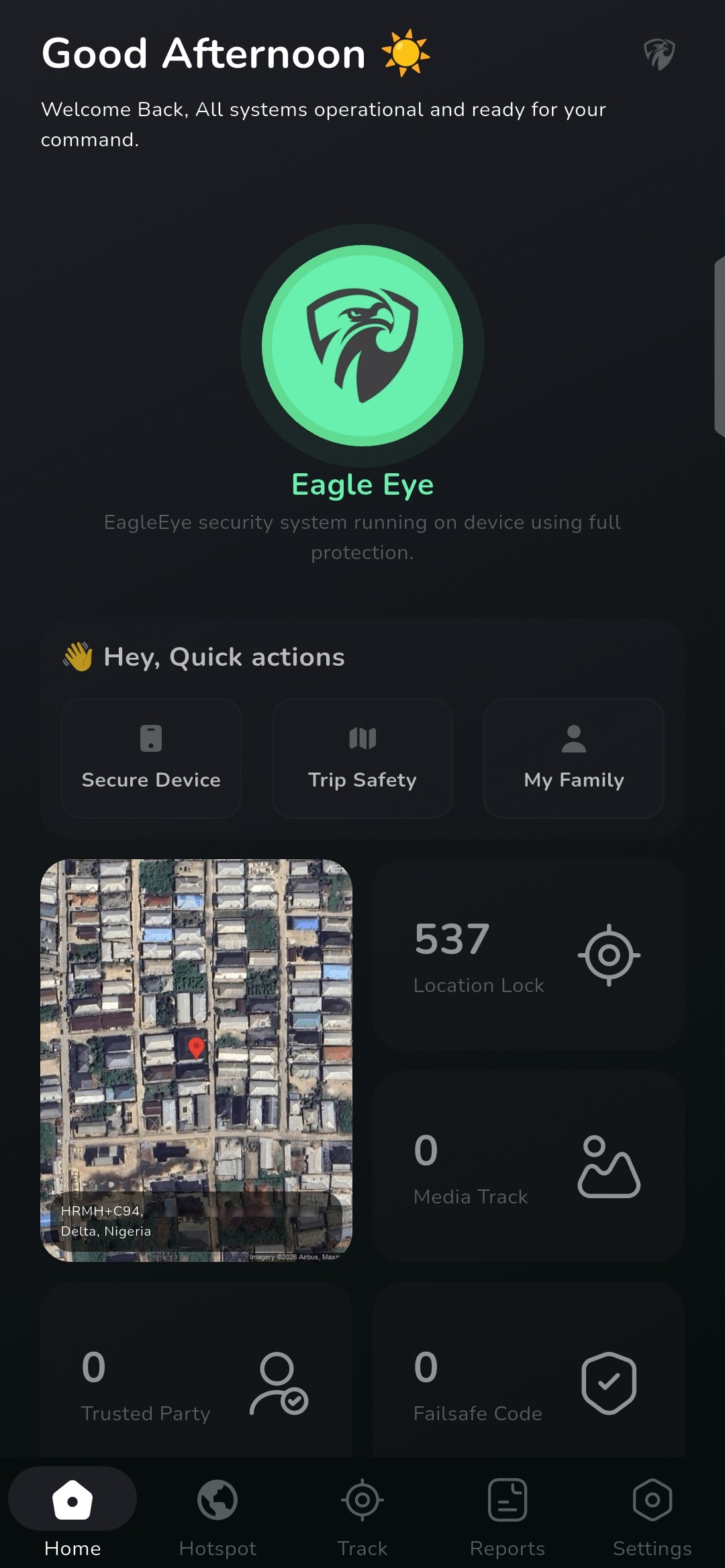
Need Help Installing
We understand that not everyone is tech-savvy. If you’re having trouble installing the full version, our team is always online to help. Simply click the chat balloon at the bottom right, and our technicians will guide you through the process.
Frequently Asked Questions
No, Eagle Eye does not send, store, or share your SMS or call information. The permission is only required to enable the app to function properly by responding to your triggers and failsafe commands.
We regularly update the app on our website, so you can always re-download and install the latest version. you won’t need to repeat the installation steps all over again unless you uninstall the app from your device.
No, the full version of Eagle Eye is not available on the Play Store due to Google Play strict app distribution policies. However if this changes in the future - we'd be glad to roll it on the Play store.